beyond teck

  • Subscribe to our RSS feed.
  • Twitter
  • StumbleUpon
  • Reddit
  • Facebook
  • Digg

Saturday, 15 July 2006

How to study from a textbook

Posted on 12:19 by Unknown
Although this has nothing to do with technology, I think textbooks play a huge role in our life. Time and again they have served as the way humans learn more about a subject and further their understanding on a particular topic. Obviously as we progress the populations of textbooks is assuredly going to dwindle, nonetheless it is still the most important way many students today get their knowledge from. Here are a couple of tips that I found that are sure to help you study better, retain more and therefore make the most out of your textbook.

Step 1 - Skim through the text / chapter you are about to learn or cover in class

  • Get an overview, find out what the chapter is about: Discovery only.

Step 2 - Underline

  • Underline the keyword for subheadings
  • Main phrase of paragraphs and definitions
  • Important names, places, dates

Step 3 - Number

  • Events in sequence, steps in a process
  • All points to be remembered
  • You should now recopy the notes in point form

Step 4 - Draw

  • Drawing often helps people retain more, especially visual learners who like to picture facts and even numbers
  • Draw a chart to - link events - show a process - show differences such as advantages / disadvantages or cause / effect, or similarities and differences.

Step 5 - Arrange

  • Outlines in order; collect charts and diagrams to go with outline notes.
  • Arrange study cue cards too

Step 6  - Write out things in your own words

  • Rewrite th ekey words as a subheading
  • Rerite ll point form notes in YOUR OWN WORDS for each heading
  • Redraw the charts and diagrams

Finally -- Study

Study every thing from your charts, sub-headings and your point form notes. Following the process in a timely manner will help you get more out from school and more importantly help you manage your time a lot better.
Read More
Posted in school, tip | No comments

Sunday, 9 July 2006

Why is e-mail required while commenting?

Posted on 00:29 by Unknown
Many are probably wondering why I've made it mandatory to put in your e-mail while using the comment form in post pages. The answer is simple: It helps me help you better! This is because usually many people don't realize that when they are asking for help, they need to be contacted with the solution. However many just say something like
Hey dude... I tried what you said, but it isn't working. Help me!
Sure, I can help you out, but hey, how do I help you? I don't know how to tell you what to do. I could of course write a comment, however the odds of the person coming back to read the comments again are very scarce.

That's why I've come up with this feature, not to make your life harder, but to make it easier... its for your own good. Plus, its not like you really have to type in your real address if you aren't asking for help, just fake it. It's not like I'm going to sit here collecting everybody's e-mail address.

So please, keep in mind that the e-mail feild is only there so that you can type in your e-mail if you are asking for help. This way I can get back to you. And also keep in mind that all e-mail you give out is strictly confidential and will not be used for any thing else except contact you only if you need help and say so in your comment.
Read More
Posted in | No comments

Monday, 3 July 2006

Beauty is in the eye of the beholder

Posted on 20:03 by Unknown
google gmail logoWe all know that the saying is definately true! If you don't believe in it then here's an example for you: I posted the article on how to make Gmail more secure... and it got on digg.com's front page, but was soon demoted by users and was burried with only 137 diggs.

However, Adam has published a similar article on his blog which got about 1324 diggs... wow! Ok, I'm not going to argue about how Adam got his article up there, whilst my article wasn't really appreciated that much although it was the same thing. But as you can see from this example people really don't pay attention to things, and sometimes something looks sensible and other times the exact same thing is classified as worthless.

May be if the people would have read my article wayyyyy back in January they might be safer today. Ok... may be Gmail isn't that important but what if it was about ... the earth was going to get hit by a comet in 24 hours and people burried my story because they thought I was lying and din't now about my SupRRRman (or may be Nach-OOOOOOOOO!) powers? Pretty interesting to see how people think, huh?

I guess I should become a psychologist I'm sure there's some law (which is probably named the 'beauty is in the eye of the beholder' law) that describes how people react... atleast I'm guessing there is some kind of algorithm that describes it?

Anyways, I seem to be really busy this summer... yeah I know, summer and busy don't exactly go together but hey, I might as well work instead of stabbing myself with a needle due to extraneous boredom.

Basically I'm working on a couple of site designs simultaneously, although I'd love to talk about it I think it is better not to. You never know if the client is going to get furious just because his web designer posted a little 16x16 screenshot of the website on his blog... but as soon as the designs are released I'll make sure to write about it.

In other news I'm going to be at the CyberArtsCamp this summer, so if you want to pick up some handy Photoshop, Illustrator, Flash MX or Dreamweaver skills then make sure to drop by the camp. Although I'm guessing there won't be much time for most to grasp the advanced skills such as Action Script 2 or anything but well atleast you can boast that you know how to use flash.
Read More
Posted in | No comments

Thursday, 29 June 2006

Virtual Memory and Low Virtual Memory Problems in Windows

Posted on 02:27 by Unknown
Virtual memory is a common part of most operating systems on desktop computers. It has become so common because it provides a big benefit for users at a very low cost.

Most computers today have something like 64 or 128 megabytes of RAM (random-access memory) available for use by the CPU (central processing unit). Often, that amount of RAM is not enough to run all of the programs that most users expect to run at once. For example, if you load the Windows operating system, an e-mail program, a Web browser and word processor into RAM simultaneously, 64 megabytes is not enough to hold it all.

If there were no such thing as virtual memory, your computer would have to say, "Sorry, you cannot load any more applications. Please close an application to load a new one." With virtual memory, the computer can look for areas of RAM that have not been used recently and copy them onto the hard disk.

This frees up space in RAM to load the new application. Because it does this automatically, you don't even know it is happening, and it makes your computer feel like is has unlimited RAM space even though it has only 32 megabytes installed. Because hard-disk space is so much cheaper than RAM chips, virtual memory also provides a nice economic benefit.

The area of the hard disk that stores the RAM image is called a page file. It holds pages of RAM on the hard disk, and the operating system moves data back and forth between the page file and RAM. (On a Windows machine, page files have a .SWP extension.)

Of course, the read/write speed of a hard drive is much slower than RAM, and the technology of a hard drive is not geared toward accessing small pieces of data at a time. If your system has to rely too heavily on virtual memory, you will notice a significant performance drop. The key is to have enough RAM to handle everything you tend to work on simultaneously. Then, the only time you "feel" the slowness of virtual memory is in the slight pause that occurs when you change tasks. When you have enough RAM for your needs, virtual memory works beautifully. When you don't, the operating system has to constantly swap information back and forth between RAM and the hard disk. This is called thrashing, and it can make your computer feel incredibly slow.

You must be logged on as an administrator or as a member of the Administrators group to complete this procedure. If your computer is connected to a network, network policy settings may also prevent you from completing this procedure.
1. Click Start, click Run, and then type sysdm.cpl in the Open box.
2. Click the Advanced tab, and then click Settings under Performance.
3. Click the Advanced tab, and then click Change under Virtual memory.
4. Under Drive [Volume Label], click the drive that contains the paging file that you want to change.
5. Under Paging file size for selected drive, click Custom size, type a new paging file size in megabytes (MB) in the Initial size (MB) or Maximum size (MB) box, and then click Set.
If you decrease the size of either the initial or maximum paging file settings, you must restart your computer to see the effects of those changes. When you increase the paging file size, you typically do not have to restart your computer.

Notes
• To have Windows select the best paging file size, click System managed size. The recommended minimum size is equivalent to 1.5 times the RAM on your computer, and 3 times that figure for the maximum size. For example, if you have 256 MB of RAM, the minimum size is 384 MB, and the maximum size is 1152 MB.
• For best performance, do not set the initial size to less than the minimum recommended size under Total paging file size for all drives. The recommended size is equivalent to 1.5 times the RAM on your computer. It is good practice to leave the paging file at its recommended size. However, you may increase its size if you frequently use programs that use much memory.
• To delete a paging file, set both the initial size and the maximum size to zero, or click No paging file. I strongly recommend that you do not disable or delete the paging file
Read More
Posted in tricks, Windows | No comments

Saturday, 24 June 2006

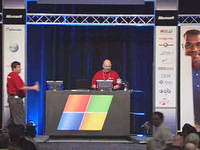
EnergizeIT 2006 was awesome!

Posted on 08:47 by Unknown
Now I don't usually go to a lot of conferences, or view them to the magic of live streaming but EnergizeIT was an exception. Although I couldn't visit the seminar, because of my schedule being 'booked' right after 12:30 (so I'm going to miss the afternoon session) with my family and then my friends (hey... it's a weekend!) the live stream was just as good, plus it was being streamed at 320 K bits/second... which is awesome!
First, the Vista presentation by Barry Goffe I must say was really good.. lots of interesting stuff that informed me more about how Microsoft is catching up to Apple... and in some cases surpassing them (obviously this is bound to happen because Vista is newer... and OS X had a similar advantage over XP because it was released a little later). I'm not a Microsoft fanboy, and neither am I an apple fanboy but I'm quite sure that Vista is really nice, I'm not being biased.

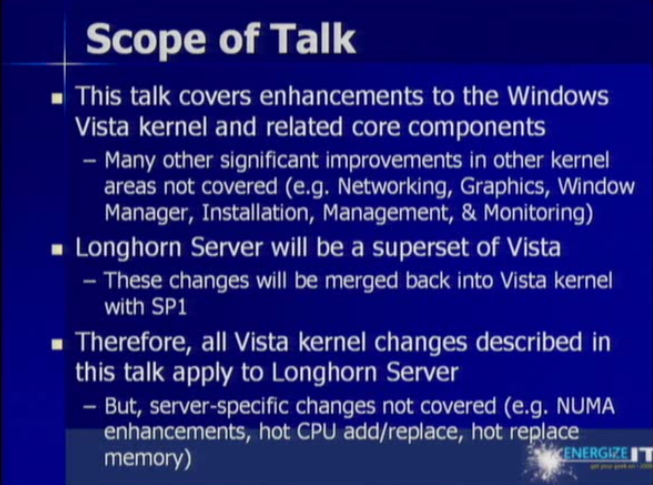
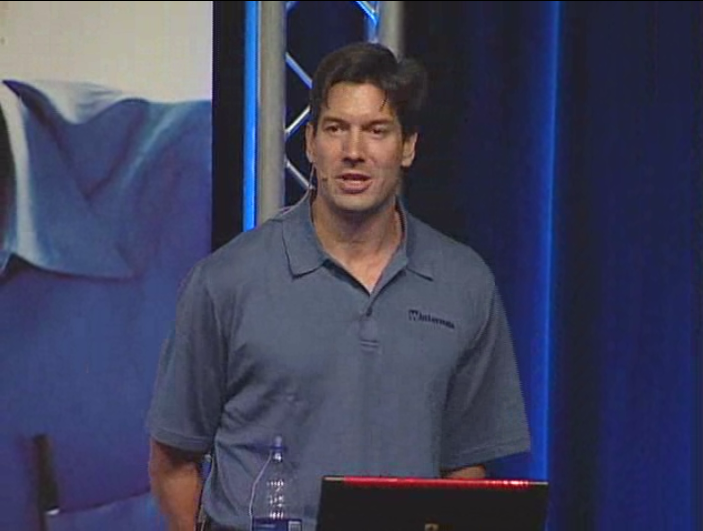
After the Vista talk there was an awesome geek presentation (I'm saying that because he used really geek terms, such as TPM and what not that might be over the head of some people) by Mark Russinovich of Winternals (yeah you've probably used one of their products in your life time....). His presentation did have a little bit of glitches when Vista which was running in VMware refused to cooperate (may be because of Vista's great memory needs). Although his slides too did have a bit too much of information and no graphics (having graphics in your presentation is one of the key ingredients in order to create a really great presentation) but it was kinda nice... so I won't complain about it. Another good that was that since he wasn't a Microsoft employee... he also pointed out some key minus points in Vista. For example you won't get to edit the BOOT.INI file any more... because there isn't going to be a boot.ini file in Vista. Instead they have the BCD (boot configuration Data) that you need to change using command prompt... and it takes about 4 steps to accomplish one thing as opposed to 1 in XP. But then there were other benefits such as optimizing the I/O so that the computer can function better... you can check out the recorded presentation (please use IE though)... I'm not sure if I'm allowed to give out links (because technically you need to be registered to view any of this, but I don't mind bending a few rules to spread geekdom). And make sure that you are not sleepy because if you are then I warn you that you might fall asleep near the end where there are technical problems.... other than that just enjoy the show.

After this there was a little presentation on Office 12 with Mike Bulmer (beta of course), but although the guys didn't really explain a lot about the ribbon (which they should have to make the IT admins that had gathered there go, "cool... that's interesting) nor did they even give a demo of the interface, but overall it was kinda cool. The presentation was I'm guessing made using Office 12 to show off all the capabilities of the software... and of course they also used all kinds of colourful graphics and so on to enhance it. I really was expecting a demo but I guess not. Actually, all the people who went to conference (in downtown Toronto) probably installed it on their computers when they went there... so its really pointless to show what the people can see right in front of them.

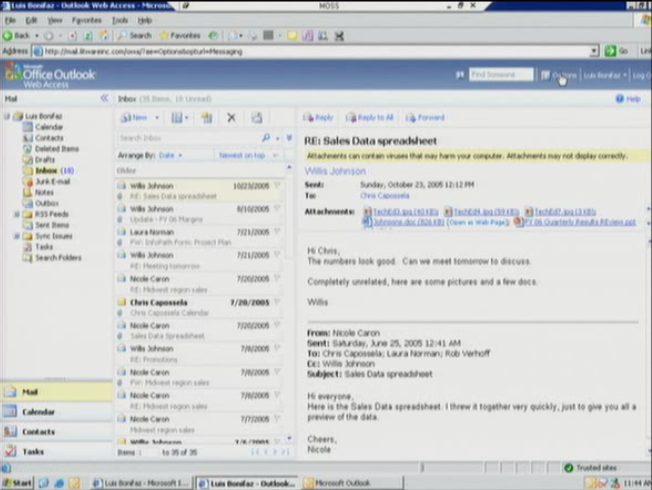
Then there were some tips of how your can use Office Outlook web access to track lost data and what not on your own so that you don't have to call the 'IT guy' at 2 o'clock in the morning... after you've lost your laptop on the taxi while coming back from a party.

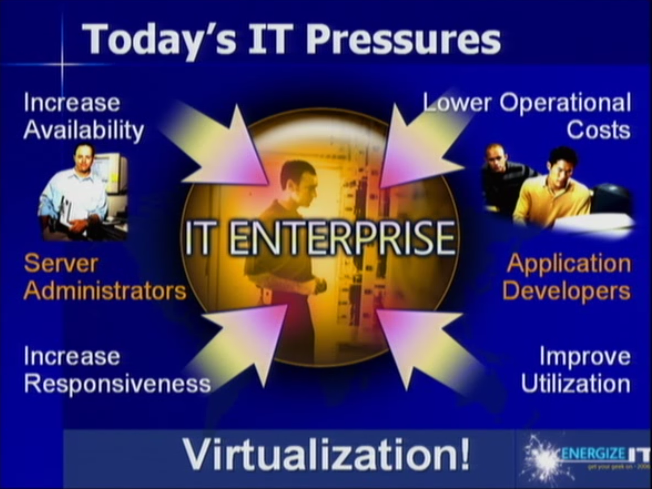
The presentation was a bit business/big organizations centric but was informative never the less. There were parts about Virtual Server by Allen Stewart and so on, which explained the benefits and so on... which are solely useful for business only. Other than that it was pretty cool. Lots of info squeezed into about a 3 hour presentation for people interested in knowing more about software and so on provided by Microsoft and what they are doing to help businesses and security and the like.
Read More
Posted in | No comments

Tuesday, 13 June 2006

Is this the end of Beyond Teck?

Posted on 12:35 by Unknown
Well, you might not know this but Beyond Teck was first published as a school project, for my business class. The main objective was to write about what we did in school, but due to my helpful nature (ok... because of my desire to do good) I decided that merely writing stuff about what happened in your life if just plain boring, and when you are publishing it on the web might as well make it something useful.

But now, after tomorrow (or the following Monday I'm not sure) this blog isn't going to be marked anymore because school has come to an end. That means that I don't have to post every 2 days on this blog... and chances are that you won't be seeing posts that often anymore.

Over the time of about 8 months this blog has gotten over 24000 unique visitors (not to mention the 16 that subscribe to this blog through RSS feeds) , and my recipes over at tech-recipes.com have been read by over 250,000 people. Along with that I've helped countless amount of people through syschat, newsgroups and the blog itself(I'm guessing) and I owe it all to this blog (and the 212 posts in it) for making it happen. Finally I would like to thank my teacher Mr. Case for making this a part of our curriculum and if not Beyond Tecknology might not have existed in the first place.

So yes, it is the end of the Beyond Teck that you see now, but I promise you that in a weeks time there is going to be a whole new Beyond Teck something that all are going to behold.
Read More
Posted in | No comments

Sunday, 11 June 2006

Blogging using Microsoft Word 2007

Posted on 05:51 by Unknown
One of the best things in Word 2007 is that the application has inbuilt blogging tools. Sort of like ecto, but ecto can be defined as more of a blog centric piece of software, without extra things such as contextual spell check and so on. Ok I’ll stop talking about the boring stuff, and let’s just dive right into how you too can start blogging with Word.

1. Get Microsoft Word 2007 (well Office 12 actually, because I do not think they have a standalone installer for Word).

2. Read the great article over at Luis's blog, which talks about how to set up a blog and post to it.

Phew, I think that was the easiest tutorial I have ever written… kind of. Oh yeah and one more thing, if you are looking for more functions like tables and what not, they are in the insert tab. Especially the hyperlink function… I think they should put it on the ‘floaty’ bar (I believe that’s the name for it) that appears when you highlight some text and hover over the highlighted text. This way you don’t have to keep changing tabs.

Read More
Posted in | No comments
Newer Posts Older Posts Home
Subscribe to: Posts (Atom)

Popular Posts

  • 5 great add-ons for Internet Explorer 7
    If you haven’t yet upgraded to Internet Explorer 7, I’d say its high time you do so. If you’re still using IE 6, you’re missing out on a lot...
  • WeTransfer Job Ad
    I like using WeTransfer to transfer things that don't fit in emails, mainly because the site is fast, has a large upload limit (2GB!) an...
  • Contact Me!
    Okay so you want to contact me for something? No Problem! E-Mail You can send all your questions , comments , tips (I need a lot of those)...
  • How we depend on technology in school
    Today I was just finishing up my Geo project and I realized (just like my other 'realization' moments that I've documented in t...
  • The Nintendo Wii..
    The first thing that comes to my mind is the Wheee! Firefox flick by Jeff Gill. Except this time the IE logo is replaced by the Nintendo Wi...
  • How to find the biggest files on Mac or Windows
    After a large amount of time, chances are that your hard drive will be cluttered with large files that you don't really need or use anym...
  • The reason why Windows Vista was experiencing problems
    Off late, my Windows Vista Ultimate install was experience a slew of problems, which might explain the reason I had 10 GB of error reporting...
  • Installing Ubuntu without a CD drive using USB drive
    With the latest release of Ubuntu, I feel that more people will have access to a highly mature, fast and easy to use operating system. But u...
  • How to watch cricket online for free
    I have a confession to make - I'm addicted to cricket. I pretty much can't live without watching cricket matches (especially if Indi...
  • Adium Update
    Looks like Adium (or Adium X) was updated. Now of course Adium isn't the messenger I use most (I use Trillian + Windows Live Messenger...

Categories

  • addons
  • adobe
  • ads
  • adsense
  • apple
  • audio
  • blackberry
  • blog
  • blogger
  • blogging
  • cars
  • cellphones
  • clean
  • code
  • comments
  • cricket
  • downloads
  • ebooks
  • email
  • error
  • file sharing
  • firefox
  • fixes
  • free
  • games
  • gas
  • Gmail
  • google
  • hack
  • hotmail
  • installs
  • instant messaging
  • internet
  • internet explorer
  • ipod
  • laptop
  • Linux
  • Live Writer
  • lol
  • Mac
  • mac. mail
  • mail
  • messenger
  • microsoft
  • Microsoft Word
  • money
  • msn
  • music
  • Musings
  • network
  • news
  • online
  • Outlook
  • page
  • peripherals
  • phones
  • photo
  • photoshop
  • php
  • plagiarism
  • problems
  • productivity
  • programming
  • projects
  • rant
  • Registry
  • Review
  • school
  • Screenshots
  • search
  • security
  • software
  • spam
  • speech
  • speed up windows
  • spyware
  • sysfader
  • technology
  • tip
  • tricks
  • tutorials
  • ubuntu
  • updates
  • video
  • virus
  • voip
  • web
  • wi-fi
  • Windows
  • Windows 7
  • Windows Vista
  • Windows XP
  • wireless
  • work
  • wtf
  • youtube

Blog Archive

  • ▼  2013 (5)
    • ▼  October (2)
      • WeTransfer Job Ad
      • iPhone Searching... No Service/No Reception Problem
    • ►  August (2)
    • ►  March (1)
  • ►  2012 (6)
    • ►  December (1)
    • ►  October (1)
    • ►  June (1)
    • ►  May (1)
    • ►  January (2)
  • ►  2011 (19)
    • ►  October (1)
    • ►  August (1)
    • ►  July (8)
    • ►  June (1)
    • ►  February (4)
    • ►  January (4)
  • ►  2010 (41)
    • ►  November (1)
    • ►  October (3)
    • ►  September (3)
    • ►  August (2)
    • ►  July (12)
    • ►  June (2)
    • ►  May (5)
    • ►  April (3)
    • ►  March (4)
    • ►  February (4)
    • ►  January (2)
  • ►  2009 (59)
    • ►  December (1)
    • ►  November (1)
    • ►  October (1)
    • ►  September (3)
    • ►  August (4)
    • ►  July (4)
    • ►  June (14)
    • ►  May (1)
    • ►  April (3)
    • ►  March (3)
    • ►  February (4)
    • ►  January (20)
  • ►  2008 (108)
    • ►  December (22)
    • ►  November (10)
    • ►  October (14)
    • ►  August (13)
    • ►  July (13)
    • ►  June (6)
    • ►  May (13)
    • ►  April (10)
    • ►  March (5)
    • ►  January (2)
  • ►  2007 (33)
    • ►  December (8)
    • ►  November (1)
    • ►  October (4)
    • ►  September (10)
    • ►  August (1)
    • ►  July (2)
    • ►  June (1)
    • ►  May (2)
    • ►  April (1)
    • ►  February (2)
    • ►  January (1)
  • ►  2006 (137)
    • ►  December (1)
    • ►  November (1)
    • ►  October (1)
    • ►  August (1)
    • ►  July (3)
    • ►  June (9)
    • ►  May (20)
    • ►  April (22)
    • ►  March (33)
    • ►  February (20)
    • ►  January (26)
  • ►  2005 (55)
    • ►  December (12)
    • ►  November (19)
    • ►  October (9)
    • ►  September (15)
  • ►  2001 (1)
    • ►  January (1)
Powered by Blogger.

About Me

Unknown
View my complete profile