


I absolutely love the idea behind creating a game that actually has real-life physics involved. Love the music too. Check it out (you'll need a Windows PC though, but it works with a mouse too – oncehttp://www.blogger.com/img/gl.link.gif you get the hang of it at least) at Kloonigames.
Friday, 30 November 2007
Sunday, 14 October 2007
Do you see ads on Beyond Teck? Yeah, I see them too.. because I put them there. Why? Because I felt like it!
Okay, not really. There are ads placed on the blog for a reason. A really big reason. The truth is that I'm trying to experiment and find out more about human psychology. Yeah, you read that stuff right. I'm currently performing an experiment on online advertising.
So, I decided to find out more about why people click, when do they click and if they will ever stop clicking in the future. This will give me an idea on why the internet as a whose is so successful, which I can then write a meaningful post (or perhaps even a e-book or something) on.
My plan is to do a qualitative and a quantitative analysis on why these ads really work. In order to accomplish this, I've volunteered my own blog to be the guinea pig. Over the course of the next few months, I plan to collect important data such as:
Okay, I've explained my reason why I chose to put ads on the site (yes this is a reason and not an excuse). Now it's your turn. Tell me what you think about adsense, online advertising etc.
Okay, not really. There are ads placed on the blog for a reason. A really big reason. The truth is that I'm trying to experiment and find out more about human psychology. Yeah, you read that stuff right. I'm currently performing an experiment on online advertising.
Why do an experiment on online advertising out of all other things I could be studying?
Google, the search engine giant, makes billions of dollars every year. Why? Because of Adsense. Surely, there must be a reason why online advertising is so successful. And there must also be a reason why some people can make a living off of advertising on the internet.So, I decided to find out more about why people click, when do they click and if they will ever stop clicking in the future. This will give me an idea on why the internet as a whose is so successful, which I can then write a meaningful post (or perhaps even a e-book or something) on.
My plan is to do a qualitative and a quantitative analysis on why these ads really work. In order to accomplish this, I've volunteered my own blog to be the guinea pig. Over the course of the next few months, I plan to collect important data such as:
- What kind of a internet user clicks on the ads. these will be judged according to the target audience that will come to read a post and click on an ad - I'll be keeping an eye out for stuff like age, OS of choice, things they like and dislike and so on.
- What colours and tricks attract the users the most. Again, the kind of user will still be kept in mind while doing the quantative analysis.
- What tricks cause the most clicks. Stuff like blinking/fading backgrounds behind the ads, size of the ad and the colour of the URL in an adsense text ad etc.
- When do users click. This analysis is going to answer questions like -Sometimes, a user might be in desperate search for information, so is a user more likely to click on ads?
Okay, I've explained my reason why I chose to put ads on the site (yes this is a reason and not an excuse). Now it's your turn. Tell me what you think about adsense, online advertising etc.
Friday, 12 October 2007

It's interesting to see that Windows + Dell actually would pay $50 to needy people if you'd spend an extra $150 to buy Windows Ultimate, which pretty much has the same amount of "cool new features" with this new thing called Vista Product (RED). I mean, if you really want to help out, wouldn't you rather just get the normal "Vista Premium" operating system and then just pay the $50 or even $100 (since you'll be saving $150) on your own for the same cause?
By this interesting marketing ploy it seems that the two big companies are actually trying to leverage their profits more than they are trying to help people out. Nonetheless, I think that those who willingly pay their money to such causes, without buying the operating system, especially if they already have a Vista computer, should be entitled to receive the same kinda "cool stuff" to spread the message around. I mean, I'm a big believer in viral marketing/word of mouth and if one person supports something, its quite natural for their friends to also support the same thing. So in a way, having the Product (RED) wallpapers/screensavers around remind you of the bigger problems that need some attention apart from the infinitesimally little problems that you might be experiencing. So, I'm putting some links to the downloads on this blog. Even if you can't pay with money, please keep in mind that you can still help a person out by doing many other things (that are indeed harder to do that just give money) such as volunteering in a soup kitchen and so on.
Again, please, if you do download any of this content, remember the people that need your help and act accordingly.
By this interesting marketing ploy it seems that the two big companies are actually trying to leverage their profits more than they are trying to help people out. Nonetheless, I think that those who willingly pay their money to such causes, without buying the operating system, especially if they already have a Vista computer, should be entitled to receive the same kinda "cool stuff" to spread the message around. I mean, I'm a big believer in viral marketing/word of mouth and if one person supports something, its quite natural for their friends to also support the same thing. So in a way, having the Product (RED) wallpapers/screensavers around remind you of the bigger problems that need some attention apart from the infinitesimally little problems that you might be experiencing. So, I'm putting some links to the downloads on this blog. Even if you can't pay with money, please keep in mind that you can still help a person out by doing many other things (that are indeed harder to do that just give money) such as volunteering in a soup kitchen and so on.
Windows Vista Product (RED) Wallpapers
You can download Vista Product (RED) the wallpapers from this page.Windows Vista Product (RED) Screensavers
You can download the Vista Product (RED) screensavers from this page.Windows Vista Product (RED) DreamScene Content
Please keep in mind that in order to run the DreamScene content on your desktop, you will need DreamScene. And therefore, you'll also need Windows Vista Ultimate. Although you can read my guide here on how to get DreamScene on any Windows Vista computer. But nonetheless, you can still play the .wmv file in your Windows Media player. You can find the Vista Product (RED) dreamscene content on this page.Windows Vista Product (RED) Sidebar Gadgets
You can download the Vista Product (RED) Sidebar Gadgets on this page.Again, please, if you do download any of this content, remember the people that need your help and act accordingly.
Saturday, 6 October 2007
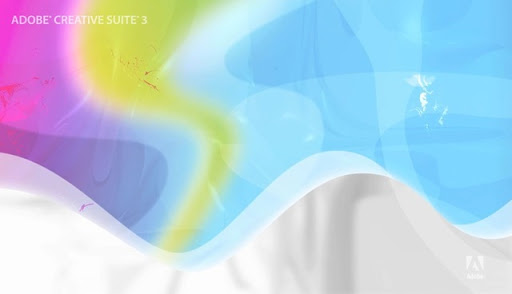
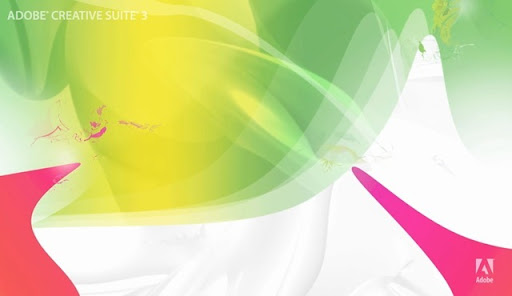
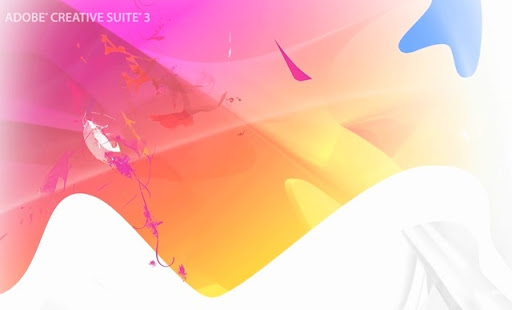
Ever wanted to know how Steve Jobs felt like when he was on acid? Well, now you can! It's called the Adobe CS3 Screensaver. I call it virtual LSD. No kidding.
Okay, fine, I admit that the screensaver really does look good and I'm sure you'll agree too. It might be a bit abstract for some peoples' tastes, but I seem to like it anyway. You might want to keep in mind that if you computer is slow, it might not run the screensaver as well as a fast computer would. Also, you'll be needing QuickTime (yikes!) to run the screensaver. Quite memory intensive indeed.
So without further ado, here are the download links to the Adobe CS3 wallpaper.
Download the CS3 screensaver for Windows (about 10.1 MB)
Download the CS3 screensaver for the Mac (about 10.6 MB)
Oh and by the way if you are on Windows (if you are on a mac, you most likely won't have to worry about this) and want to use the screensaver, you'll have to first ensure that QuickTime can play flash tracks. Here's how to do that:
- Click the Start button > QuickTime > QuickTime Player > Edit > Preferences > QuickTime Preferences...
- Once in the preferences window, go to the 'Advanced' tab
- Check the box that says 'Enable playback of Adobe Flash tracks'
Now, a couple screenshots to show you what virtual acid looks like (you can click on them to see the bigger version if you wish) :
Wednesday, 3 October 2007
 If you tend to use Windows Live Messenger (you might also refer to this by the name MSN messenger, or simply call it MSN), then I'm sure you'd love to add more emoticons to your collection (Psst.. if you don't already have a emoticon collection you can steal emoticons from others when they use custom emoticons). I believe these emoticons used to be paid, but then Microsoft realized that no one was buying them, and finally decided to make them free.
Getting the emoticons itself is pretty straight forward. All you need to do is head over to Free Messenger Emoticons site (notice how the url is .ca - this is because most of the people who use MSN/Live Messenger are Canadian, I think. I'm pretty sure everyone uses AIM in the states). Of course, you need to have the latest version of Windows Live Messenger installed in order to use the emoticons, so if you don't already have it installed then you can download it here. There is also another free way of getting free emoticon packs along with lots of other cool downloads for Windows Live Messengers, which you can find at Kiwee.com. All you need to is go to the emoticon section and download whatever you want!
Once you go to the website, all you need to do is click on the 'Install 30 Messenger Emoticons' button and then download the Emoticons.exe file onto your computer. Once downloaded, simply follow the prompts on the screen to finish installing the smileys.
 One word of caution though. As you go through the install process, in the 3rd step, the installer is going to ask you if you want to change your homepage etc. If you don't want to change your homepage, then make sure to uncheck the check boxes.
 After you are done installing the smiley pack, you can then use the free smiley pack through the Windows Live Messenger conversation window. Make sure you click on the 'Show all...' link though.

 Don't forget, you can also get other smileys from your friends, when your friends use custom emoticons.
Thursday, 27 September 2007
 Have you ever wondered if someone is stealing all your posts and other content that you've published on the internet? Well, this post is all about finding out if someone is copying and pasting your content word for word. Plagiarism is not a great thing for your website because you might be loosing a lot of visitors and or revenue when someone else who has a higher pagerank/gets more visitors steals your content and posts it on their website. Even worse, someone else might be making money from the content that you worked hard to write and publish.
Here are a couple of tips on how to find the content stealing culprits!
Use Copyscape. Copyscape is a great little tool that auto-magically searches for content similiar to that of your website on other websites. All you need to do is mention the url of the website, after which copyscape will search the web for similar articles.
The only downside to this method is that if someone has rephrased some of the words in the article, copyscape might not be able to find it (you'll have to use the google method mentioned below). Another thing is that the free version will only show you a couple of websites that have plagarized content from your website, and not all the websites on the internet that have copied your content.
 Use Google. Yup, that's right, this wonderful search engine can also be utilized to search for copies of your posts. Here's how you can find out if someone else has similar posts. Take one of your post titles, or key sentences in posts that you might think are plagiarized and search for them on google. The trick here is to enclose the title or key phrases in quotations, so Google will only show those phrases and not phrases/titles related to the query. Here's an example:

 Yes, in case you are wondering... that website pictured in the screenshot above stole my post =( !
Use digg.com/slashdot.com/shoutwire.com search. You'll be surprised how many websites out there copy your posts, submit it to digg, and get more visitors than you do. Many people have websites for the only one reason - making money. If a website gets dugg, it usually gets lot of visitors.
Even if it doesn't make it to the homepage of digg, there is a good chance that when someone searches for that particular phrase, they land up on the digg.com submission page and eventually visit the website (that stole your content) to see what the post is about. So, all you need to do is search for your title on digg, and if you find a website that has copied your post... bingo! You've found the content thief!
Check your web-analytics logs. Often you might have put a link to a post in your own website in one of your posts. Many you simply copy and paste also copy all the links in that post. This means that when a user clicks on one of your links, they'll be coming to your website. Most of the time all web statistic softwares will record this incoming link, and add the incoming entries to your log. So once in a while, simply browse through your logs and check for any websites that might have reposted your content.
If you use wordpress or any other CMS software, check any trackbacks, or incoming links that might help you find the website that is stealing your posts.
I'm sure, if you use these tips, it should be enough to catch anyone who is stealing your content and republishing it on their website. Once you've found out who is stealing your content... dealing with them is another long story, which I'll try to cover in some other post.
Sunday, 23 September 2007
Ever wanted to be able to cycle through your tabs really quickly instead of using your mouse? Well, guess what! You can! All you need to do is use these keyboard shortcuts in order to go to the tab you want. No Firefox extensions needed!

Just press Ctrl and 1 (the number 1 key) together to go to the first tab. Press Ctrl + 2 to go to the second tab and so on. Of course, if you're on a Mac, its Cmd + 1 and so on.
It's that simple!
Subscribe to:
Posts (Atom)


