beyond teck

  • Subscribe to our RSS feed.
  • Twitter
  • StumbleUpon
  • Reddit
  • Facebook
  • Digg

Wednesday, 15 October 2008

WriteRoom - An Application for distraction free writing

Posted on 03:13 by Unknown
Here's a great no-nonsense hard core writing application for all you writers out there. It's called WriteRoom and it all it does it help you write stuff. This is how the application looks like. Of course, if you are on Windows, do check out the alternatives that are just as good (but most don't have spellcheck -- mainly because Windows doesn't have spellcheck).

Yes, it looks like an ancient version of command prompt, except with green text. Of course, almost every detail of the application (the text, the background and the font size) is customizable. It even has spellcheck. And it even has a scrollbar for easy scrolling. Something the windows alternatives seem to lack.

It also has more cool features : for example, it saves your text automatically so you don't have to worry about saving it yourself. If you want to save different "versions" of your writing you can do that too. Its pretty cool software, and once you start using it for a while you'll quickly get the hang of it. It makes more sense when you start using it, so just download a copy from the links provided below in this article and start writing with it. You'll quickly realize that you're producing better quality articles, in lesser time and more frequently.

It's simple, minimalistic and most important of all it works! And of course since its a Mac application, it also has other cool features. You can right click, and get the computer to read the text to you. I'm guessing this is only possible if you have Leopard or Tiger, but you might be able to do the same in older versions as well.

WriteRoom is great for writing essays, reports and even blog posts. It's almost like a typewriter. Although it is very in-advanced in terms of the features it has, you don't need to worry about the formatting, text or even text size. Once you set your basic preferences, you're SET! No fiddling with fonts unnecessarily just because you have the chance to and no messing around with needless formatting. You can of course copy the text from WriteRoom and then paste it in Microsoft Word before you decide to print your work an add all the necessary formatting.

So, I realize that WriteRoom is paid software, but there is a way to Download it for FREE. That's right, you can actually download an older version of the application from the HogBay software all for completely free. It does almost everything the new version does, so if you're a poor student like me and can't afford to buy the software you might want to use that alternative.

How to Download WriteRoom for Free

You can download an older version of WriteRoom 1, from the WriteRoom releases page. This version is free, and there is no purchase necessary =). You'll likely have to scroll down and select the "Free and Unsupported Version". Unless you just want to try out the newest version for 30 days.

Nonetless, please buy the software if you feel like it's totally worth it.
Read More
Posted in downloads, free, Mac | No comments

Monday, 13 October 2008

Nine PowerPoint Tips from Seth Godin

Posted on 20:59 by Unknown

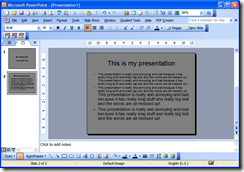
image If there’s one person you have to listen to when it comes to presentation, I’d say Seth Godin (check out his talk on ‘Sliced Bread’ here) would probably be that person. If I had a choice I’d go for Steve Jobs, but it seems like Steve gets most of his ‘cheers’ in his keynotes from Apple employees sitting at the back of the presentation. Okay, I’m only kidding. But, no, everyone should learn how to give great PowerPoint presentations. I’ve blogged about this before, and I can’t seem to stop blogging about it.

The world as we know it would be a much better place if everyone could do a proper PowerPoint presentation. So please, read Seth Godin’s article on Nine Useful PowerPoint tips.

One interesting thing I’d like point out though is about the fonts point he mentions. Please, please, make the fonts at least BIG enough. And only use custom fonts if you’re going to be presentation on YOUR computer, because the presentation won’t probably work on any other computer, unless you save your presentation as a PDF or something. Also, he should have mentioned that one must never over do the presentation with too many animations, but that’s a point mentioned all too often. Nonetheless, I’ve yet to see a presentation that listens to all this advice out there.

May be someday in the future, PowerPoint will have the ability to zap people (nothing above 400v of course… we don’t want it to be inhumane) if they break any rules?

Read More
Posted in tip | No comments

Use XSlimmer to reduce size of Mac Applications and save Space

Posted on 20:32 by Unknown

Xslimmer ScreenshotAnother great, not gratis (gratis = free) way of saving hard drive space on your Mac is to use XSlimmer. If you’re looking for a free alternative to save some valuable space on your hard drive then you might want to try Monolingual. If you have some money to spare then XSlimmer is a great little application that also does 1 thing – it reduces the size of tremendously bulky Universal Binary applications.

What it does is pretty much this:

Every mac application that is universal binary, has been written for 2 kinds of computers. The computers with old PowerPC processors and the new computers with Intel Processors. Naturally the best way to make an application to work on both computers is to have code that works flawlessly on each type of architecture. But obviously, that takes up space. So what XSlimmer does is gets rid of the code for the PowerPC architecture, if you’re on a Intel system and vice versa for PowerPC users. Naturally, you can slim down the size of the application (any application – including XSlimmer itself =) by almost 50%.

However, it does have price tag of $12.95 (although pretty small) though, so you might want to invest only if you are really low on space and have a lot of applications you can’t part with. Nonetheless it’s a great little application that can save a lot of hair pulling in really needy times

Read More
Posted in downloads, Mac | No comments

Windows or Mac Laptop Running Really Slow? Speed it up for free!

Posted on 20:24 by Unknown

I often hear people complaining that their laptops run really slow, whilst their desktops are usually blazing fast. For them, it seems as though there is something wrong with the laptop, because if they have the exact same software installed on both the laptop and the desktop, both with similar hardware configurations, shouldn’t the laptop be just as fast as the desktop? To be honest, most people don’t take into account the various innumerable differences between the two different kind of computers both in terms of software and hardware.

In this post, I shall attempt to explain how you can ‘speed up your laptop’. Most tips apply to all laptop, including macs, however some tips apply to only specific laptop. Please bear in mind though that implementing some of these tips might mean less batter life, so do check beforehand with the ‘how to improve laptop battery life’ article on this website.Here’s how you can make your laptop run really fast.

How to Make All Laptops Run Faster

(doesn’t matter if its windows, mac or linux)

Prevent your laptop from overheating

What you shouldn’t do:

laptopbedI often see people placing their laptops on their beds, carpets and couches. This is bad! First of not only does it help in heating your laptop to a non-functional state (and sometimes even causes it to crash) it also aids in ruining the fabric on your furniture. When you place your laptop on your couch, for example, the fabric does a good job of blocking any vents that might be (and often are) on the bottom of your laptop. Doing so, prevents the circulation of air in the laptop, causing it to heat up. And of course, if you know a thing or two about computers – they don’t like heat. This is because the processor, which in the first place generates a lot of heat, cannot function if there is excess heat. That’s one of the reasons cell phones done come equipped with 5 GHz processors, yet.

What you should be doing:

If you plan to use your laptop on your lap, do so sparingly – as this too can heat up your laptop. Instead, place it on a table if possible. Although this defies the purpose of being a ‘laptop’, it will help your processor and computer as a whole work more efficiently. If you find that your laptop heats up a lot, especially if it is a couple of years old, you might want to invest in a laptop cooling stand. This will help cool the laptop and ensure its well being, making it run faster. You might want to refrain from using any “homemade” laptop cooling stands like this one.

Doing the above will also prevent any abrupt crashes when using the laptop to do processor intensive tasks.

Use the correct power settings

More often than not, laptops automatically switch to the ‘power saver’ mode when you remove your plug. Especially if you’re using a new operating system like Windows Vista or Mac OS X Leopard 10.5 So, the best thing you can do here is to change those settings. On Windows Vista or Leopard, you’ll have to click on the battery icon on your taskbar (for windows) or menubar (for mac) respectively and choose ‘Maximum/High Performance’ or ‘Better Performance’ in order to let your processor run at full speed and let your computer work faster. A word of caution though: your computer WILL HEAT UP significantly! So keep an eye on the temperature, you don’t want your computer to crash or burn something.

Free up Hard Drive Space'

Freeing up some valuable hard drive space (use the free up hard drive space guide here) will definitely allow your operating system to run faster because it won’t be clogged up as much. On a mac, consider transferring your songs elsewhere or storing them on your MP3 player. You might also want to drag unused applications to your dock. Likewise, you can get rid of unnecessary languages no your mac if you only use 1 primary language with monoligual. Also keep in mind that laptops usually have slower hard drives, so you might want to consider adding some more RAM to your hard drive. TIP: If you’re using Windows Vista and you’re using a laptop that has a all in one media card reader, you might want to use those SD cards for cameras to improve your computer’s responsiveness with Windows Readyboost. It won’t do much, but it will definitely improve your computer’s  You don’t need Windows Readyboost drives to help increase the RAM of your computer.

Operating System ‘Hacks’ for Windows

Please keep in mind that use these hacks on Windows only if you’re desperately in need for some speed. If not, I’d just let windows be the way it is.


That’s all for now. There aren’t any other laptop tweaks that I am aware of for now… if you have anything else to share, please let me know!

Read More
Posted in laptop, Mac, tip, Windows | No comments

10 Registry Hacks to Make Windows Faster, Free!

Posted on 20:20 by Unknown

Okay, so here are some registry hacks that you can use to make windows faster. A word of caution though, I’ve used these hacks and they seem to be fine, and they seem to cause no repercussions whatsoever on Windows XP, but nonetheless if you use your Windows XP machine as your primary machine, I wouldn’t use this on that machine. Nonetheless, Here they are:

How to use these registry Hacks:

Again, if you don’t know how to use these registry hacks, then you probably shouldn’t be using them. Please back up your registry first by reading this article!!! If you’re determined to use then then this is how you do it: (obviously you'd want to back up your computer first.. I take no responsibility if you manage to "bork it" =)

  1. Copy the code below. The “code” below contains modifications that you’re going to be implementing into the registry to tweak certain features of the operating system in an effort to make it faster
  2. Open a new notepad file (the cool way to open notepad is pressing the Windows key + R key and typing in “Notepad” in the box that pops up and pressing enter… just thought I’d kinda point it out to you)
  3. Paste the code
  4. Save the file as “Hacks.reg” (type it with quotes in the notepad save as box in your desktop
  5. Double click the file to add the keys to your registry
  6. Delete the file as required

OK, so here are the registry keys modifications that you’d want to copy:

So as you can see, modifications are made primarily to the FileSystem, Boot Configs, Shutdown Sequence, Start Menu Delay. Use it wisely!

Read More
Posted in free, hack, Registry, Windows | No comments

Free up hard drive space on your Mac with Monolingual

Posted on 20:09 by Unknown

MonolingualOkay, may be I’m just slow, but I’ve just found a gem of an app again to free up some hard drive space. It’s called Monolingual, and pretty much all it does is get rid of extra languages on your Mac and frees up some valuable hard drive space. Unlike Disk Cleanup on your PC, which is more of a maintenance application, this simply gets rid of those languages that you can’t read or you’ll probably never use anyway.

I honestly can’t speak any of the languages I currently have on my mac, but still its seemed kinda fun to have them around at first when installing the operating system (well.. upgrading to Leopard actually). But now I’ve realized that it’s pretty much just a big waste of hard drive space. So bye by Afrikaans… all I need is English. Speaking of English, I also just figured out how to use Canadian English as the default Language on a Mac. It’s a pity that your Mac doesn’t do it for you automatically when you choose your region as Canada.

Read More
Posted in apple, downloads, free | No comments

Sunday, 12 October 2008

Why do Canadians always get all the cool tech stuff last?

Posted on 11:10 by Unknown
The last time I checked, Canada was still a part of North America and RIM was a Canadian company. Yet, it seems like the Blackberry Storm will be heading down to the States first, before it becomes easily accessible for Canadian consumers (and hopefully, it won't be going to Rogers... the iPhone fiasco should be enough for a couple of years more to come). Interesting isn't it? I mean, I always believed that Canada was really technologically advanced, especially since the previous census had an option where one could fill out the form online, which was something pretty cool. But now it just seems like I'm all wrong. Even the Sony Experia isn't available in Canada yet.


Is it just me feeling this way, or does no one else care about this? I say, they should create some kind of a new law in order to help bring new technology into Canada. Its pretty wierd to know that people in India right now have cooler (and somewhat cheaper I must add)phones that what I'm using right now.
Read More
Posted in cellphones, rant, technology | No comments
Newer Posts Older Posts Home
Subscribe to: Posts (Atom)

Popular Posts

  • 5 great add-ons for Internet Explorer 7
    If you haven’t yet upgraded to Internet Explorer 7, I’d say its high time you do so. If you’re still using IE 6, you’re missing out on a lot...
  • WeTransfer Job Ad
    I like using WeTransfer to transfer things that don't fit in emails, mainly because the site is fast, has a large upload limit (2GB!) an...
  • Contact Me!
    Okay so you want to contact me for something? No Problem! E-Mail You can send all your questions , comments , tips (I need a lot of those)...
  • The Nintendo Wii..
    The first thing that comes to my mind is the Wheee! Firefox flick by Jeff Gill. Except this time the IE logo is replaced by the Nintendo Wi...
  • Installing Ubuntu without a CD drive using USB drive
    With the latest release of Ubuntu, I feel that more people will have access to a highly mature, fast and easy to use operating system. But u...
  • How we depend on technology in school
    Today I was just finishing up my Geo project and I realized (just like my other 'realization' moments that I've documented in t...
  • How to find out if a .exe process is spyware or virus
    Windows XP has thousands and thousands of .exe files, and usually a lot of those executables are running at any given time. But are all of t...
  • How to watch cricket online for free
    I have a confession to make - I'm addicted to cricket. I pretty much can't live without watching cricket matches (especially if Indi...
  • Adium Update
    Looks like Adium (or Adium X) was updated. Now of course Adium isn't the messenger I use most (I use Trillian + Windows Live Messenger...
  • How to reduce PDF file sizes on a Mac
    Update : Doesn't seem like this method works well for all files, you may want to try out the link posted in the comments, as this seems ...

Categories

  • addons
  • adobe
  • ads
  • adsense
  • apple
  • audio
  • blackberry
  • blog
  • blogger
  • blogging
  • cars
  • cellphones
  • clean
  • code
  • comments
  • cricket
  • downloads
  • ebooks
  • email
  • error
  • file sharing
  • firefox
  • fixes
  • free
  • games
  • gas
  • Gmail
  • google
  • hack
  • hotmail
  • installs
  • instant messaging
  • internet
  • internet explorer
  • ipod
  • laptop
  • Linux
  • Live Writer
  • lol
  • Mac
  • mac. mail
  • mail
  • messenger
  • microsoft
  • Microsoft Word
  • money
  • msn
  • music
  • Musings
  • network
  • news
  • online
  • Outlook
  • page
  • peripherals
  • phones
  • photo
  • photoshop
  • php
  • plagiarism
  • problems
  • productivity
  • programming
  • projects
  • rant
  • Registry
  • Review
  • school
  • Screenshots
  • search
  • security
  • software
  • spam
  • speech
  • speed up windows
  • spyware
  • sysfader
  • technology
  • tip
  • tricks
  • tutorials
  • ubuntu
  • updates
  • video
  • virus
  • voip
  • web
  • wi-fi
  • Windows
  • Windows 7
  • Windows Vista
  • Windows XP
  • wireless
  • work
  • wtf
  • youtube

Blog Archive

  • ▼  2013 (5)
    • ▼  October (2)
      • WeTransfer Job Ad
      • iPhone Searching... No Service/No Reception Problem
    • ►  August (2)
    • ►  March (1)
  • ►  2012 (6)
    • ►  December (1)
    • ►  October (1)
    • ►  June (1)
    • ►  May (1)
    • ►  January (2)
  • ►  2011 (19)
    • ►  October (1)
    • ►  August (1)
    • ►  July (8)
    • ►  June (1)
    • ►  February (4)
    • ►  January (4)
  • ►  2010 (41)
    • ►  November (1)
    • ►  October (3)
    • ►  September (3)
    • ►  August (2)
    • ►  July (12)
    • ►  June (2)
    • ►  May (5)
    • ►  April (3)
    • ►  March (4)
    • ►  February (4)
    • ►  January (2)
  • ►  2009 (59)
    • ►  December (1)
    • ►  November (1)
    • ►  October (1)
    • ►  September (3)
    • ►  August (4)
    • ►  July (4)
    • ►  June (14)
    • ►  May (1)
    • ►  April (3)
    • ►  March (3)
    • ►  February (4)
    • ►  January (20)
  • ►  2008 (108)
    • ►  December (22)
    • ►  November (10)
    • ►  October (14)
    • ►  August (13)
    • ►  July (13)
    • ►  June (6)
    • ►  May (13)
    • ►  April (10)
    • ►  March (5)
    • ►  January (2)
  • ►  2007 (33)
    • ►  December (8)
    • ►  November (1)
    • ►  October (4)
    • ►  September (10)
    • ►  August (1)
    • ►  July (2)
    • ►  June (1)
    • ►  May (2)
    • ►  April (1)
    • ►  February (2)
    • ►  January (1)
  • ►  2006 (137)
    • ►  December (1)
    • ►  November (1)
    • ►  October (1)
    • ►  August (1)
    • ►  July (3)
    • ►  June (9)
    • ►  May (20)
    • ►  April (22)
    • ►  March (33)
    • ►  February (20)
    • ►  January (26)
  • ►  2005 (55)
    • ►  December (12)
    • ►  November (19)
    • ►  October (9)
    • ►  September (15)
  • ►  2001 (1)
    • ►  January (1)
Powered by Blogger.

About Me

Unknown
View my complete profile