beyond teck

  • Subscribe to our RSS feed.
  • Twitter
  • StumbleUpon
  • Reddit
  • Facebook
  • Digg

Friday, 10 March 2006

How to: Enhance your photographs

Posted on 15:39 by Unknown
Not everyone is a professional and not everyone know the rules in photography. However just because the pictures we take don't weren't all that good, it doesn't mean that we can't make it look cool!
Thanks to Adobe Photoshop, you can now make your pictures look more presentable (and professional for that matter) before you print them out, or just keep it with you to remember about those memories! Here's how you can make your pictures look more professional...

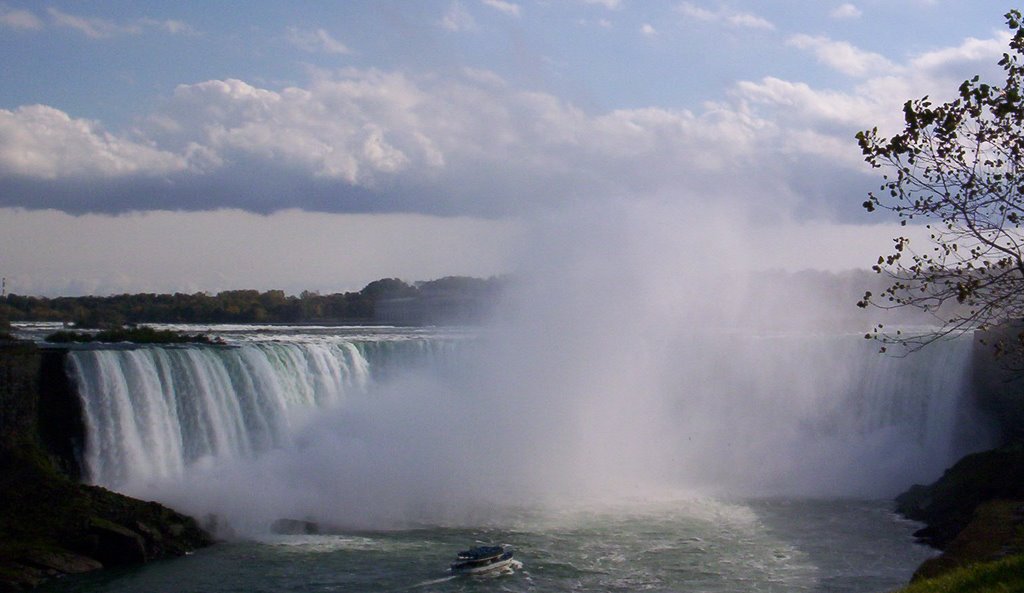
First, you need to understand the concepts that professionals use while they take their pictures. Then you can go ahead and use what photoshop has to offer. I am going to take this picture picture that my friend took and transform it into a work of art! You can do the same thing with your picture as well!

1. The First thing you should always to is follow the rule of thirds in any picture so that you don't have a boring picture!

So in the following picture I've tried to implement the rule of thirds alongside with a few other rules, of course it's not perfect because the picture wasn't taken properly. However according to my teacher, you can only have 4x6 or 5x7 or 8x10 images and there is no actual widescreen format, so I can't capture the whole horizon..
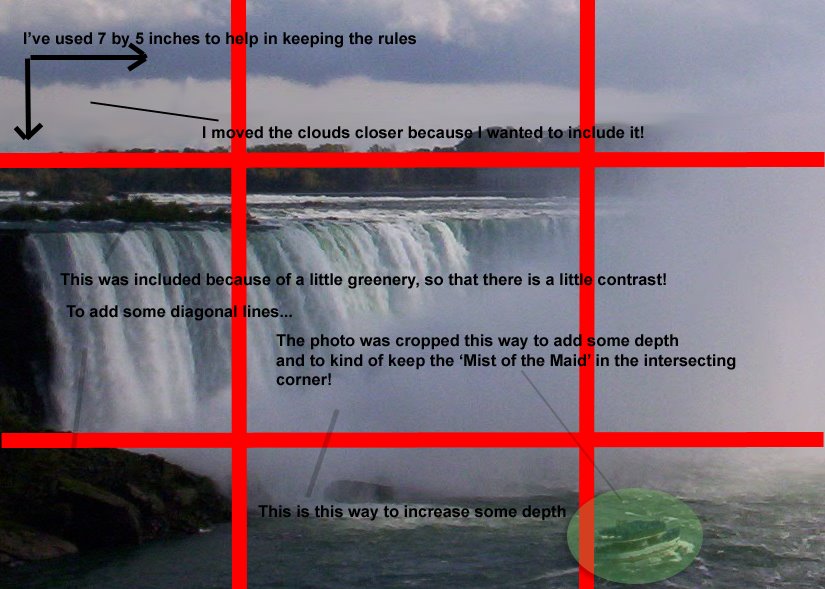
Here we see the rule of thirds in action (sort of since the picture isn't so good...) along with that some other things that I've considered while cropping the picture.


2. The next thing that I am going to do is change the colour of th picture using the levels tool (Image > Adjustments > Levels if you are using CS 2). You can also use the Auto levels tool (Image >Adjustments > Auto Levels in CS 2) to do this, but the results are not really as good as doing it manually. I will soon write up another post on how to use this magnificent tool... In Photoshop elements you can find the options here:
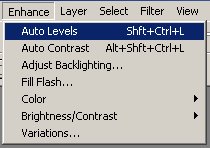
Here you can see that I've used the levels tool and reduced the jitter and lighting... sorry for wierd pic, I'll upload a better one later.

3. Now since my picture has a lot of light. The only thing it is missing is a little bit of colour. The main colour that I think that this picture is missing is blue, especially in the sky.
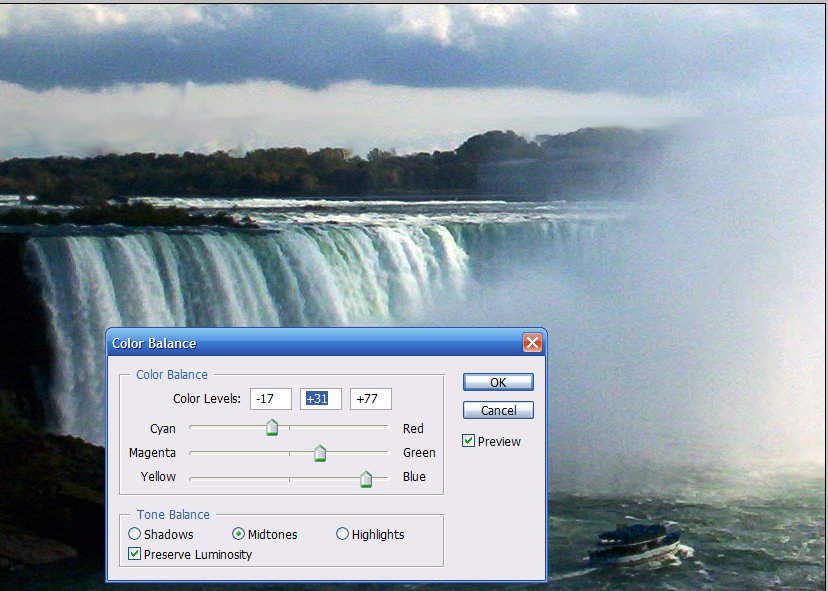
The blue is clearly more right now so that you can see the actual colour of the water...

3. Finally I am going to increase the resolution a little bit, since it still looks a little bit jittery.


Now the picture is ready to print and it looks more cleaner!
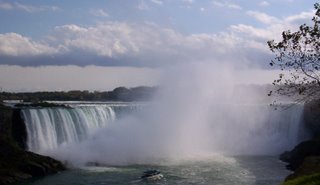
BEFORE
AFTER
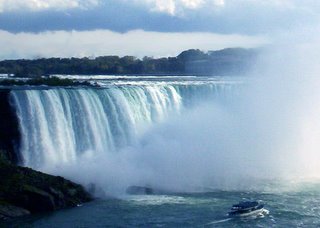
So here we can see how photoshop can help us in making out photos better than what they actually were! Now you can have fun editing all your picture from your latest
photoshop, adobe, photography, enhancing, tips, digital camera


Email ThisBlogThis!Share to XShare to FacebookShare to Pinterest
Posted in | No comments
Newer Post Older Post Home

0 comments:

Post a Comment

Subscribe to: Post Comments (Atom)

Popular Posts

  • 5 great add-ons for Internet Explorer 7
    If you haven’t yet upgraded to Internet Explorer 7, I’d say its high time you do so. If you’re still using IE 6, you’re missing out on a lot...
  • Contact Me!
    Okay so you want to contact me for something? No Problem! E-Mail You can send all your questions , comments , tips (I need a lot of those)...
  • WeTransfer Job Ad
    I like using WeTransfer to transfer things that don't fit in emails, mainly because the site is fast, has a large upload limit (2GB!) an...
  • Adium Update
    Looks like Adium (or Adium X) was updated. Now of course Adium isn't the messenger I use most (I use Trillian + Windows Live Messenger...
  • The plan for summer
    So summer has started, at least it has for most students in North America. This summer is different. I can almost feel it (interestingly eno...
  • The reason why Windows Vista was experiencing problems
    Off late, my Windows Vista Ultimate install was experience a slew of problems, which might explain the reason I had 10 GB of error reporting...
  • Make opening new windows and tabs in Safari faster
    Is it just me or has anyone else noticed the fact that opening new tabs and windows in Safari takes way longer that it used to? Especially w...
  • How to play tetris on your Mac with Terminal
    Today, I noticed that it's the 25th anniversary of Tetris, through a Google doodle (you can learn some amazing things from a Google logo...
  • The Nintendo Wii..
    The first thing that comes to my mind is the Wheee! Firefox flick by Jeff Gill. Except this time the IE logo is replaced by the Nintendo Wi...
  • How to find out if a .exe process is spyware or virus
    Windows XP has thousands and thousands of .exe files, and usually a lot of those executables are running at any given time. But are all of t...

Categories

  • addons
  • adobe
  • ads
  • adsense
  • apple
  • audio
  • blackberry
  • blog
  • blogger
  • blogging
  • cars
  • cellphones
  • clean
  • code
  • comments
  • cricket
  • downloads
  • ebooks
  • email
  • error
  • file sharing
  • firefox
  • fixes
  • free
  • games
  • gas
  • Gmail
  • google
  • hack
  • hotmail
  • installs
  • instant messaging
  • internet
  • internet explorer
  • ipod
  • laptop
  • Linux
  • Live Writer
  • lol
  • Mac
  • mac. mail
  • mail
  • messenger
  • microsoft
  • Microsoft Word
  • money
  • msn
  • music
  • Musings
  • network
  • news
  • online
  • Outlook
  • page
  • peripherals
  • phones
  • photo
  • photoshop
  • php
  • plagiarism
  • problems
  • productivity
  • programming
  • projects
  • rant
  • Registry
  • Review
  • school
  • Screenshots
  • search
  • security
  • software
  • spam
  • speech
  • speed up windows
  • spyware
  • sysfader
  • technology
  • tip
  • tricks
  • tutorials
  • ubuntu
  • updates
  • video
  • virus
  • voip
  • web
  • wi-fi
  • Windows
  • Windows 7
  • Windows Vista
  • Windows XP
  • wireless
  • work
  • wtf
  • youtube

Blog Archive

  • ►  2013 (5)
    • ►  October (2)
    • ►  August (2)
    • ►  March (1)
  • ►  2012 (6)
    • ►  December (1)
    • ►  October (1)
    • ►  June (1)
    • ►  May (1)
    • ►  January (2)
  • ►  2011 (19)
    • ►  October (1)
    • ►  August (1)
    • ►  July (8)
    • ►  June (1)
    • ►  February (4)
    • ►  January (4)
  • ►  2010 (41)
    • ►  November (1)
    • ►  October (3)
    • ►  September (3)
    • ►  August (2)
    • ►  July (12)
    • ►  June (2)
    • ►  May (5)
    • ►  April (3)
    • ►  March (4)
    • ►  February (4)
    • ►  January (2)
  • ►  2009 (59)
    • ►  December (1)
    • ►  November (1)
    • ►  October (1)
    • ►  September (3)
    • ►  August (4)
    • ►  July (4)
    • ►  June (14)
    • ►  May (1)
    • ►  April (3)
    • ►  March (3)
    • ►  February (4)
    • ►  January (20)
  • ►  2008 (108)
    • ►  December (22)
    • ►  November (10)
    • ►  October (14)
    • ►  August (13)
    • ►  July (13)
    • ►  June (6)
    • ►  May (13)
    • ►  April (10)
    • ►  March (5)
    • ►  January (2)
  • ►  2007 (33)
    • ►  December (8)
    • ►  November (1)
    • ►  October (4)
    • ►  September (10)
    • ►  August (1)
    • ►  July (2)
    • ►  June (1)
    • ►  May (2)
    • ►  April (1)
    • ►  February (2)
    • ►  January (1)
  • ▼  2006 (137)
    • ►  December (1)
    • ►  November (1)
    • ►  October (1)
    • ►  August (1)
    • ►  July (3)
    • ►  June (9)
    • ►  May (20)
    • ►  April (22)
    • ▼  March (33)
      • Firefox tip: Saving Sessions
      • The atom error starts again
      • Lifehacker gets duped
      • List of Downloads
      • Beyond Tecknology Sage Style
      • Interesting stuff of the day
      • The different file formats
      • Firefox Quick Tip: Disable Java
      • Smaller font
      • IE 7 is good
      • Almost done widgets
      • Using the Find tool in Firefox
      • Does my site need more pics?
      • How to: Lower the size of pics
      • Simplifying posts
      • Moving to Miramar
      • New Feature: Email this post
      • Blogger is down
      • Behold My Latest Creation
      • AJAX here I come
      • Can this blog be Ajaxified?
      • Cleaning up the code!
      • Google hires 15 year old
      • How to: Enhance your photographs
      • Exploring Photoshop
      • T.O. to become wireless hotspot
      • Windows XP boots on a Macbook Pro
      • What happens in Digital Imaging
      • RIM and NTP dispute ends
      • Converting numbers to hexadecimal
      • Hex Colour Codes and Colour
      • Laptops are a requirement at a few Universities
      • Hexadecimal Colour Codes
    • ►  February (20)
    • ►  January (26)
  • ►  2005 (55)
    • ►  December (12)
    • ►  November (19)
    • ►  October (9)
    • ►  September (15)
  • ►  2001 (1)
    • ►  January (1)
Powered by Blogger.

About Me

Unknown
View my complete profile