beyond teck

  • Subscribe to our RSS feed.
  • Twitter
  • StumbleUpon
  • Reddit
  • Facebook
  • Digg

Thursday, 1 July 2010

Top 7 new Tricks / Features (with Tips) in Windows 7

Posted on 14:54 by Unknown
Windows 7 has some great tricks up its “sleeve” that all can take advantage of. Although, you’ll Windows 7 Home Premium or greater (or “higher”) to take advantage of these tricks. Here are the top 7 features that I like in ascending order of awesomeness:

7. Flip-3d

image While this feature was also there in Windows Vista, I think that Microsoft has certainly made Windows 7 less of a resource hog so that I can actually use this feature once in a while. Instead Of Alt key +Tab key (like I used to in Vista and XP), I often press the Windows Key + Tab key now.
Some Flip-3d Tips:
  • Usually Flip-3d cycles from first window to the window behind it. If you want it to cycle the other way press: Windows key + Shift Key + Tab key
  • You don’t always need to cycle through the windows to select the windows you want. After pressing Windows + Tab, you can simply click on the window that you’d like to see on top. This works great when you have a laptop, because you can click with one hand and press the key combo with the other

6. Windows Snap
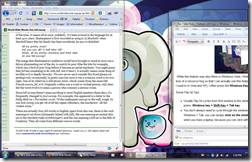
image I’m sure you all know about this feature. Simply drag a window to the edge of the screen and it snaps into place. Great if you want to have two windows side by side or if you want to maximize of minimize a window. It’s also great when you have dual monitors, and want to maximize the window (currently on monitor 1) to monitor 2 in “one fell swoop”.

5. Jump Lists

Some Tips:
  • You can also left click on an icon in the task bar and the jump list will pop-up
  • Clicking on the thumb-tack will ensure that the particular item (File/bookmark/etc…) will stay in the jumplist.

4. Improved Start Menu

With the new and improved Windows search features, you should be able to find whatever you need without a hitch. Simply click on the start menu and start typing. Sorry Launchy, but I find the start menu to be a bit more convenient.

3. Improved Touch Features/Hand writing Recognition

If you happen to have a tablet or tablet pc the Tablet PC input panel should provide countless hours of fun. To start it simply search for Tablet PC Input Panel in the start menu and off you go! Have fun!

2. Aero Shake

While transparent Windows are cool, clutter is not. Often I happen to have 40 different windows open while I only really need one, such as my browser window for example. So to quickly hide all those windows what you can do is simply shake the window that you want on the screen (sort of like the way you would drag a window, but without actually dragging it and just “wiggling” it quickly) and watch the other windows dissapear.
You’ll need the Aero theme enabled if you want to be able to do this. Here’s a video of how the Aero Shake feature works.
Although I confess that this feature is cool, I don’t usually use it that often because I don’t really find the need to do so. Or it may be that I am just lazy.

1. Awesome Speech Recognition

By far the greatest feature of Windows 7 has to be its improved (although very little) speech recognition capabilites. Learn more about this in my other article that talks about how you can set up speech recognition on Windows 7.


If you want to learn more out about other features in Windows 7, Microsoft’s website may be a good place to start.
Email ThisBlogThis!Share to XShare to FacebookShare to Pinterest
Posted in tip, Windows 7 | No comments
Newer Post Older Post Home

0 comments:

Post a Comment

Subscribe to: Post Comments (Atom)

Popular Posts

  • Contact Me!
    Okay so you want to contact me for something? No Problem! E-Mail You can send all your questions , comments , tips (I need a lot of those)...
  • WeTransfer Job Ad
    I like using WeTransfer to transfer things that don't fit in emails, mainly because the site is fast, has a large upload limit (2GB!) an...
  • Adium Update
    Looks like Adium (or Adium X) was updated. Now of course Adium isn't the messenger I use most (I use Trillian + Windows Live Messenger...
  • Todays thoughts
    Great news, now you can get a newer version of the great performancing extension from the mozilla site. This version has many new features,...
  • Categories in Beyond Tecknology
    Browse Beyond Tecknology by Categories (arranged alphabetically and highlighted by frequency) adobe apple audio blog blogging cars cellphone...
  • Mail Nation giving you 1083984MB of storage?
    Yes, Mailnation Solutions is giving away 1083984MB or so of storage without any adds for free (and no I do not work for mailnation). This w...
  • A list of things that I'm working on right now...
    Okay, as a tech enthusiast I can't stop working on something that I've started already. Unfortunately, because of school all of thes...
  • Fix D-Link Wi-Fi Router Disconnection Problem
    Yes, I have a fairly old D-Link router, and I'm afraid I'm not too happy with it. It keeps disconnecting form time to time, and some...
  • How to get inspired by a website
    That's right, some videos out there are truly inspirational. I wonder how many people know about this already, but I for one have been c...
  • Num Lock and Caps Lock on a Blackberry
    While it feels amazing to type away on a blackberry keyboard (even for a person with big fingers like me), one thing that I have recently di...

Categories

  • addons
  • adobe
  • ads
  • adsense
  • apple
  • audio
  • blackberry
  • blog
  • blogger
  • blogging
  • cars
  • cellphones
  • clean
  • code
  • comments
  • cricket
  • downloads
  • ebooks
  • email
  • error
  • file sharing
  • firefox
  • fixes
  • free
  • games
  • gas
  • Gmail
  • google
  • hack
  • hotmail
  • installs
  • instant messaging
  • internet
  • internet explorer
  • ipod
  • laptop
  • Linux
  • Live Writer
  • lol
  • Mac
  • mac. mail
  • mail
  • messenger
  • microsoft
  • Microsoft Word
  • money
  • msn
  • music
  • Musings
  • network
  • news
  • online
  • Outlook
  • page
  • peripherals
  • phones
  • photo
  • photoshop
  • php
  • plagiarism
  • problems
  • productivity
  • programming
  • projects
  • rant
  • Registry
  • Review
  • school
  • Screenshots
  • search
  • security
  • software
  • spam
  • speech
  • speed up windows
  • spyware
  • sysfader
  • technology
  • tip
  • tricks
  • tutorials
  • ubuntu
  • updates
  • video
  • virus
  • voip
  • web
  • wi-fi
  • Windows
  • Windows 7
  • Windows Vista
  • Windows XP
  • wireless
  • work
  • wtf
  • youtube

Blog Archive

  • ►  2013 (5)
    • ►  October (2)
    • ►  August (2)
    • ►  March (1)
  • ►  2012 (6)
    • ►  December (1)
    • ►  October (1)
    • ►  June (1)
    • ►  May (1)
    • ►  January (2)
  • ►  2011 (19)
    • ►  October (1)
    • ►  August (1)
    • ►  July (8)
    • ►  June (1)
    • ►  February (4)
    • ►  January (4)
  • ▼  2010 (41)
    • ►  November (1)
    • ►  October (3)
    • ►  September (3)
    • ►  August (2)
    • ▼  July (12)
      • Converting Adobe PDF Files to Text or HTML
      • New Blogger Feature: Stats
      • Taking notes on a BlackBerry While Calling Someone
      • Staying Logged in for Two Google Accounts via Chrome
      • Booting to a console window on a Mac
      • How to run Linux applications on Windows
      • You Invest a Lot of Time Online
      • Internet Sharing Between Two Macs or From a Mac
      • Switching to the DVORAK Layout
      • Windows XP Mode in Windows 7
      • The New Windows Live Messenger App
      • Top 7 new Tricks / Features (with Tips) in Windows 7
    • ►  June (2)
    • ►  May (5)
    • ►  April (3)
    • ►  March (4)
    • ►  February (4)
    • ►  January (2)
  • ►  2009 (59)
    • ►  December (1)
    • ►  November (1)
    • ►  October (1)
    • ►  September (3)
    • ►  August (4)
    • ►  July (4)
    • ►  June (14)
    • ►  May (1)
    • ►  April (3)
    • ►  March (3)
    • ►  February (4)
    • ►  January (20)
  • ►  2008 (108)
    • ►  December (22)
    • ►  November (10)
    • ►  October (14)
    • ►  August (13)
    • ►  July (13)
    • ►  June (6)
    • ►  May (13)
    • ►  April (10)
    • ►  March (5)
    • ►  January (2)
  • ►  2007 (33)
    • ►  December (8)
    • ►  November (1)
    • ►  October (4)
    • ►  September (10)
    • ►  August (1)
    • ►  July (2)
    • ►  June (1)
    • ►  May (2)
    • ►  April (1)
    • ►  February (2)
    • ►  January (1)
  • ►  2006 (137)
    • ►  December (1)
    • ►  November (1)
    • ►  October (1)
    • ►  August (1)
    • ►  July (3)
    • ►  June (9)
    • ►  May (20)
    • ►  April (22)
    • ►  March (33)
    • ►  February (20)
    • ►  January (26)
  • ►  2005 (55)
    • ►  December (12)
    • ►  November (19)
    • ►  October (9)
    • ►  September (15)
  • ►  2001 (1)
    • ►  January (1)
Powered by Blogger.

About Me

Unknown
View my complete profile